Documentation Index Fetch the complete documentation index at: https://docs.usebila.com/docs/llms.txt
Use this file to discover all available pages before exploring further.
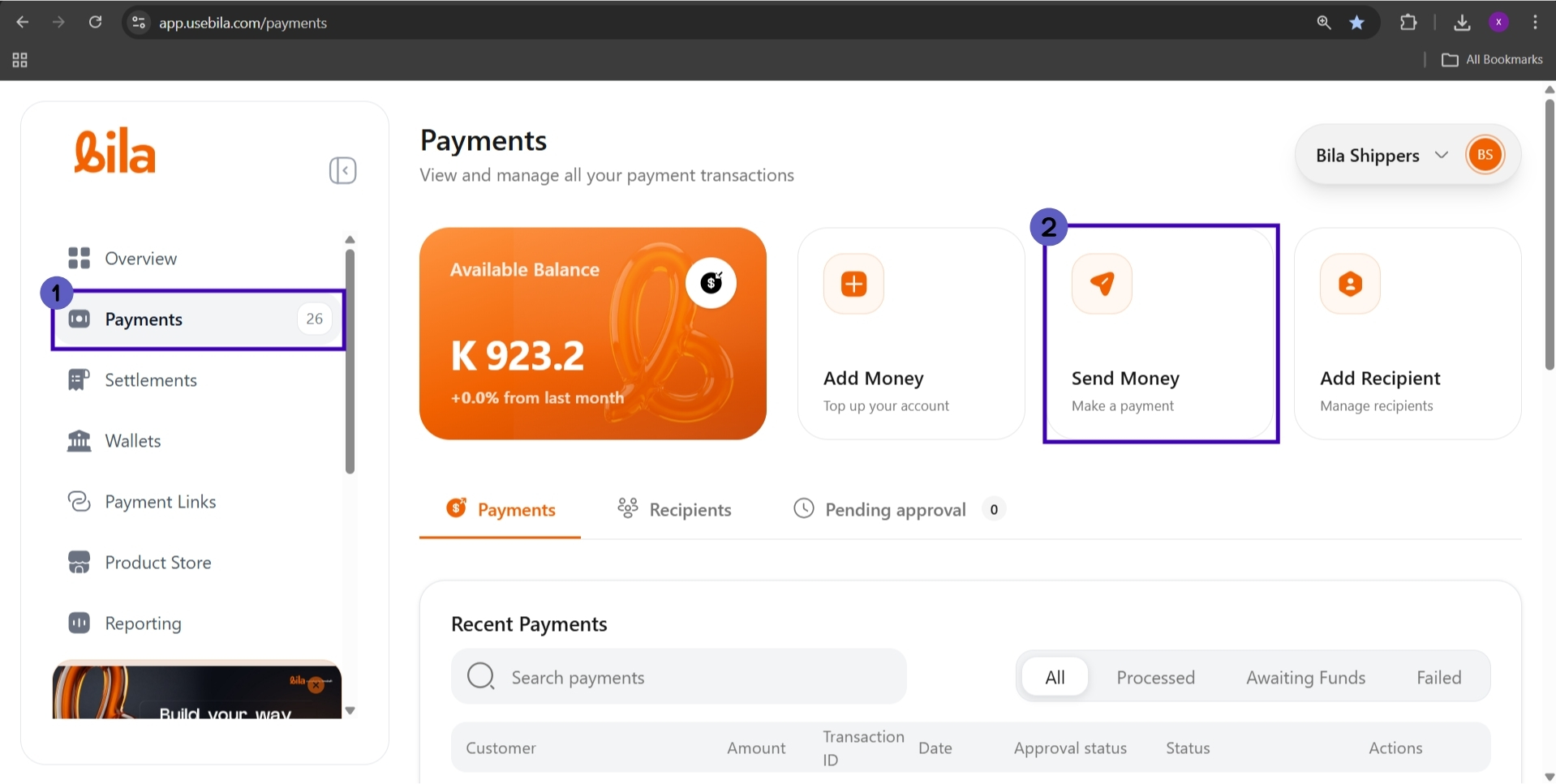
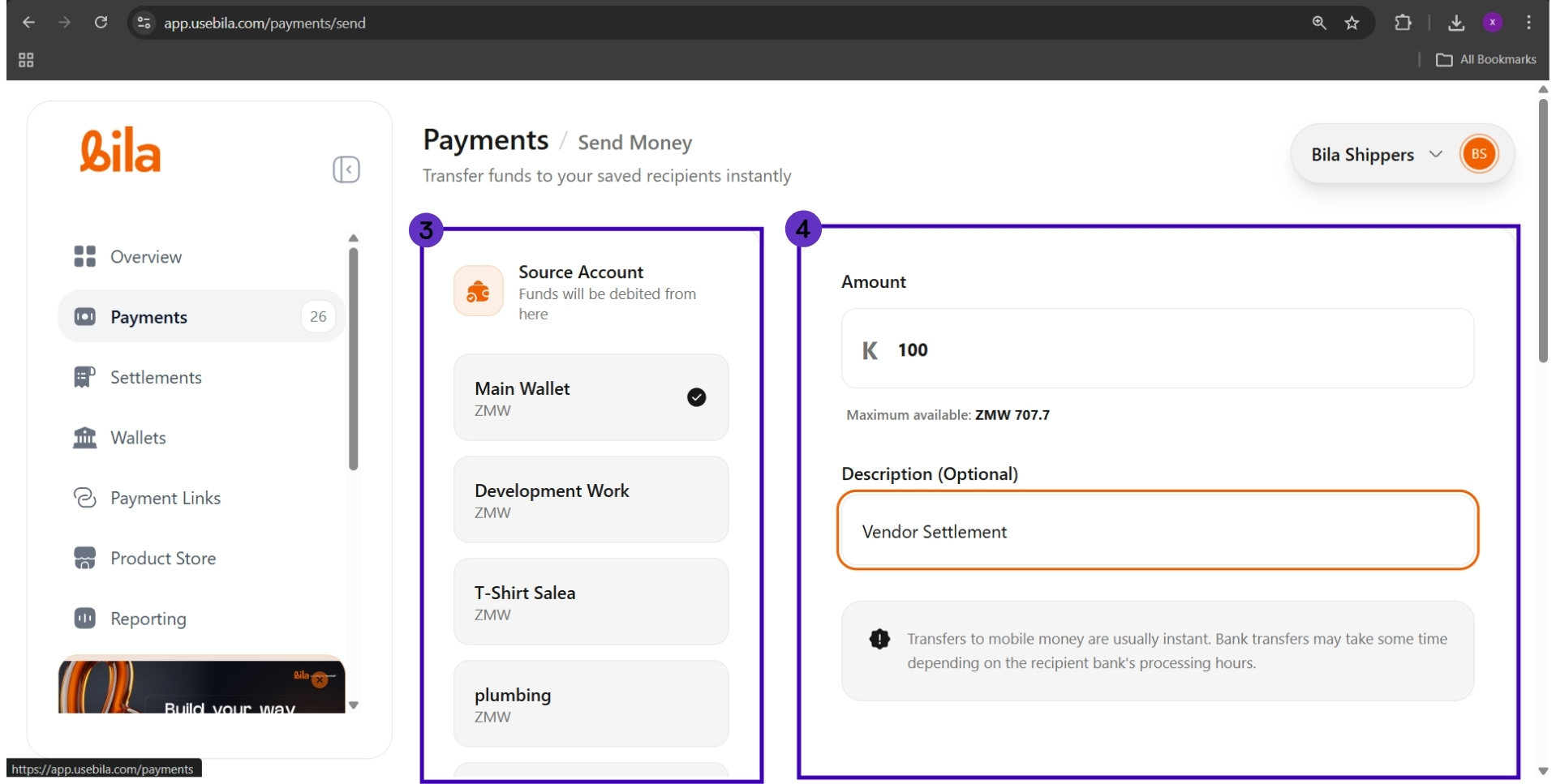
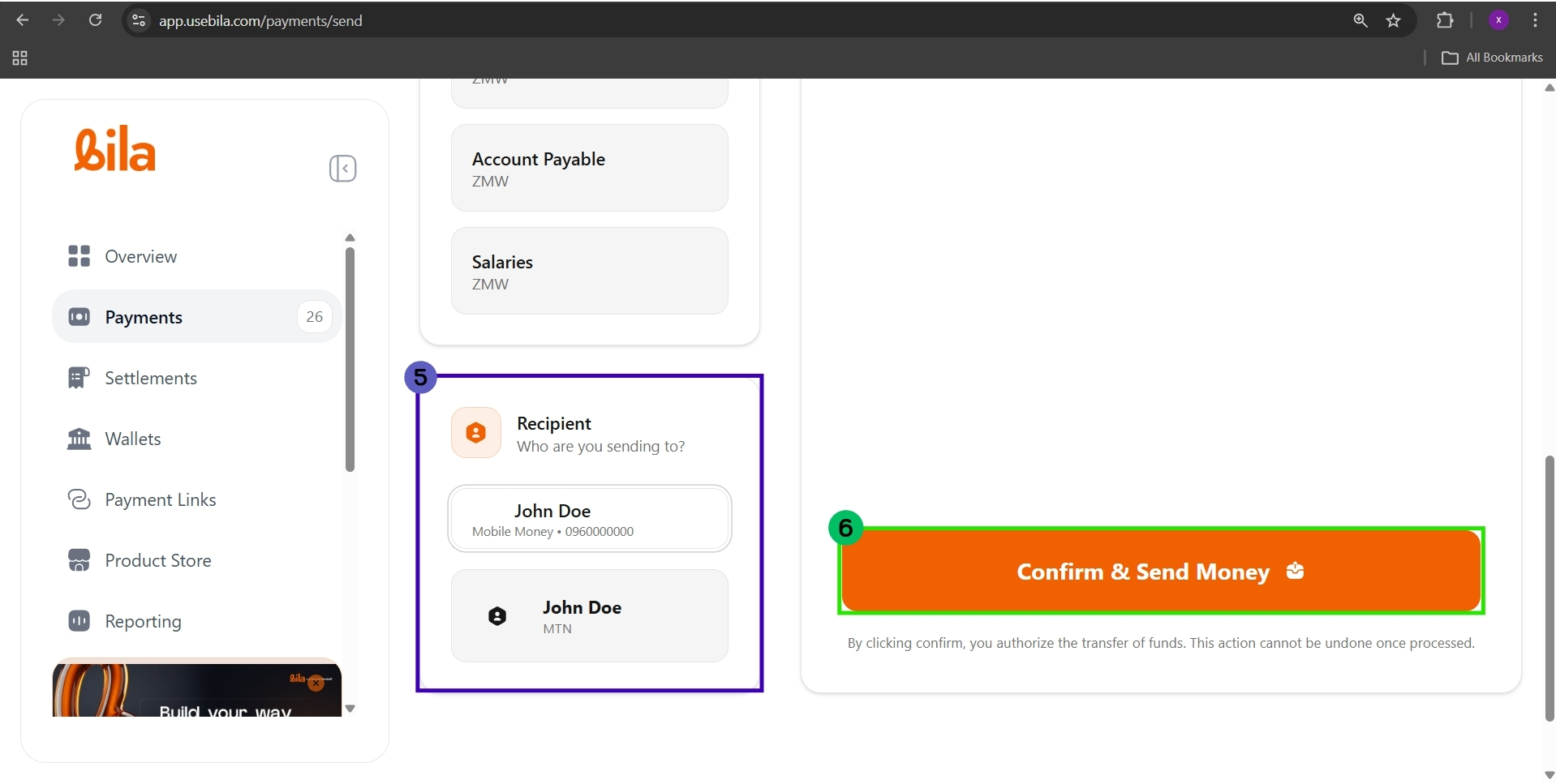
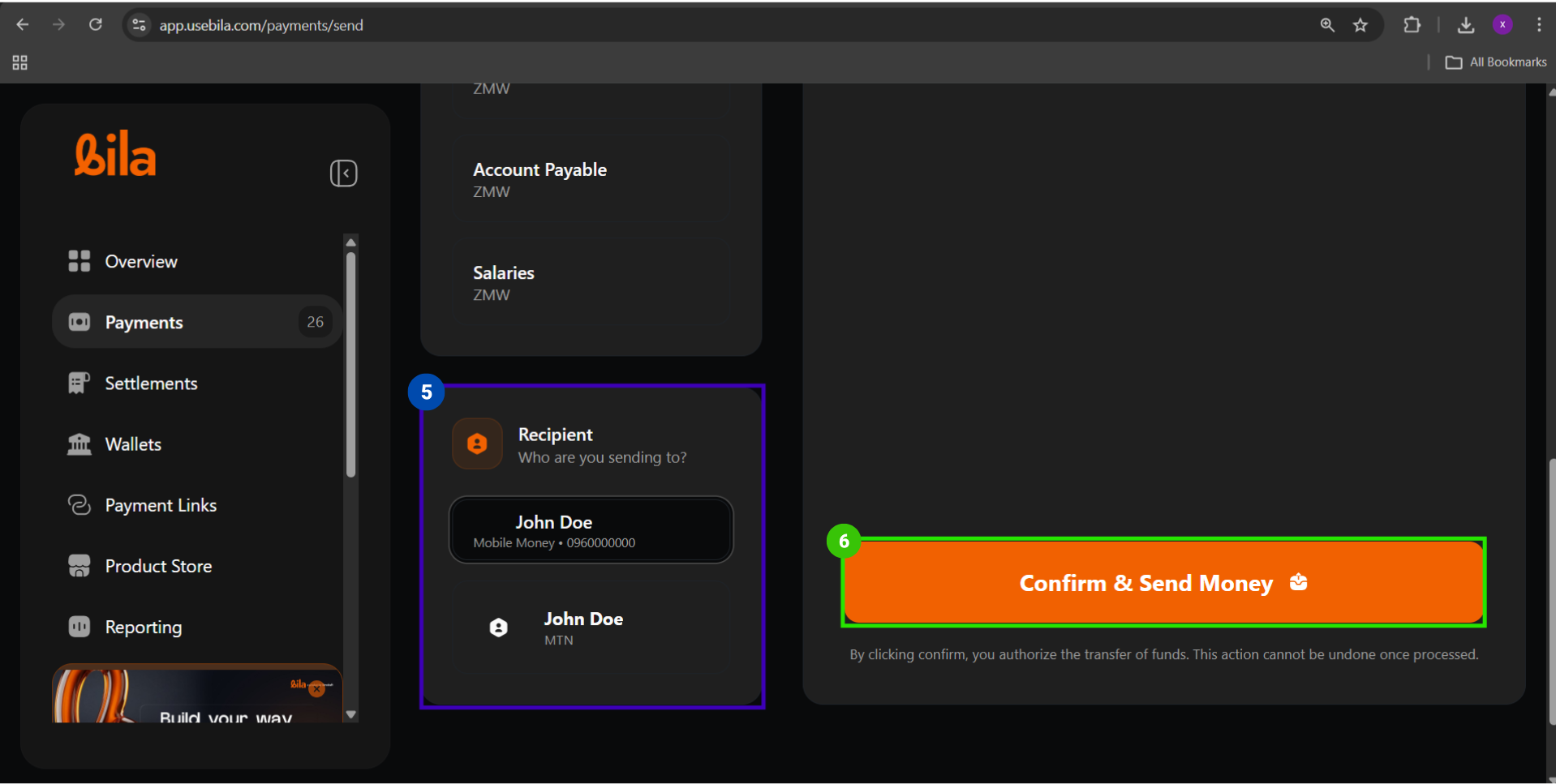
Mobile money payouts let you send funds from any of your Bila wallets directly to a registered mobile money account. Bila supports all three major Zambian mobile money providers: MTN Mobile Money, Airtel Money, and Zamtel Kwacha. Recipients must be saved to your account before you can send to them.
Prerequisites
Before you begin, make sure you have:
Sufficient available balance in the wallet you intend to debit
The recipient already added under Payments → Recipients with their correct mobile money number and provider
Approver availability if your account requires dual authorisation
Steps
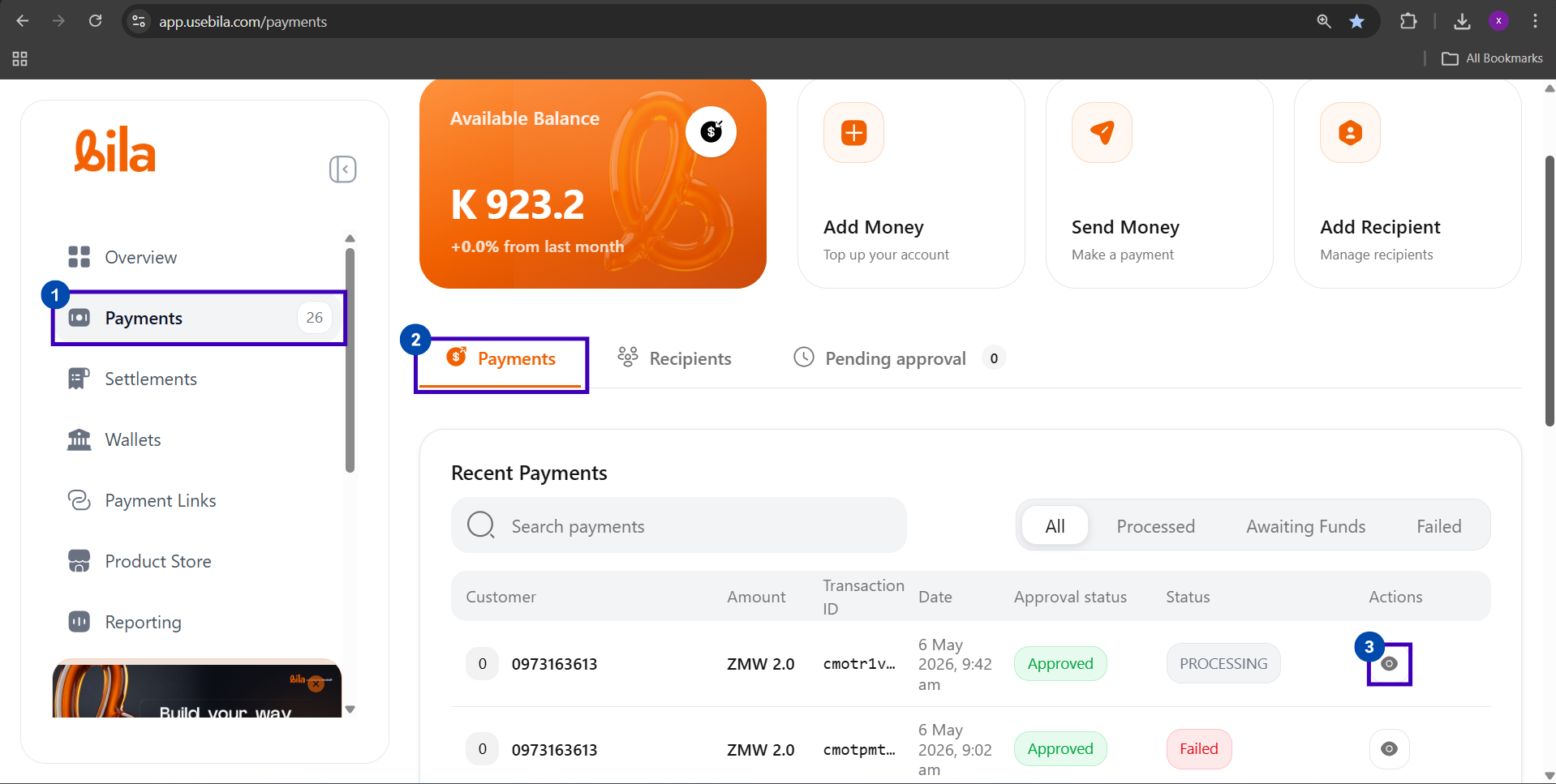
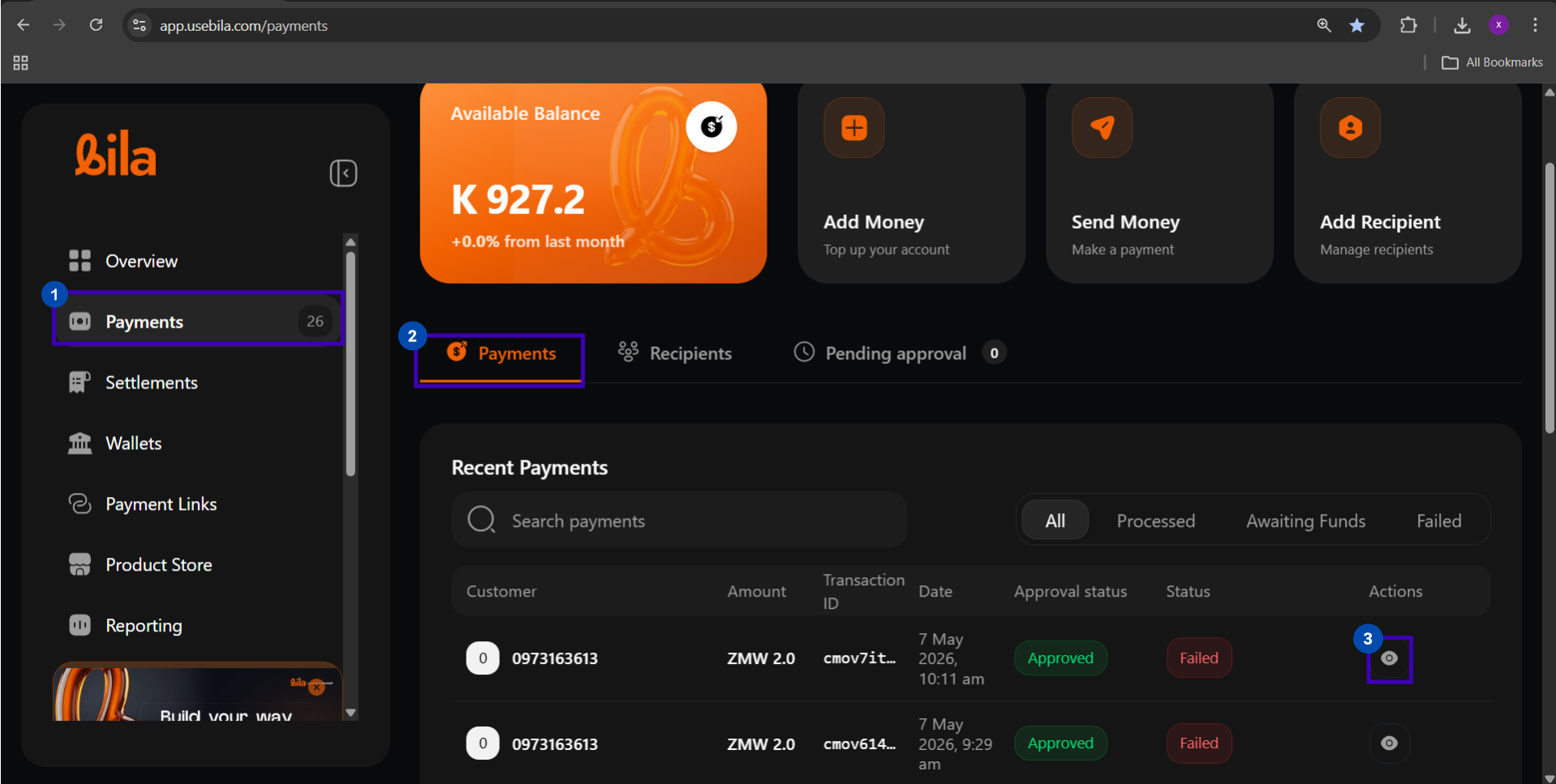
Viewing Transaction Details
Field What It Shows Full Transaction ID The complete reference ID. Use this when contacting support. Recipient The mobile number and provider the funds were sent to Amount The exact amount transferred in ZMW Fee The transaction fee applied to this payout Date and time The exact timestamp the payout was initiated Approval status Whether the transfer was approved and by whom Payment status Final outcome: Processed, Awaiting Funds, or Failed
Supported Providers
Provider Network Requirement MTN Mobile Money MTN Zambia Recipient must have an active MTN MoMo wallet Airtel Money Airtel Zambia Recipient must have an active Airtel Money account Zamtel Kwacha Zamtel Recipient must have an active Zamtel Kwacha wallet
Fees, Limits, and Processing Times
Detail Value Fee Varies by provider. Check your merchant fee schedule. Fee bearer Determined by your Collection Fee Bearer setting in Settings → General Minimum amount ZMW 1.00 Maximum amount Limited to the selected wallet’s available balance Processing time Near-instant, typically within 60 seconds Operating hours Subject to mobile network availability
Payment Status Reference
Status Approval Status What It Means ProcessedApprovedPayout completed. Funds delivered to recipient. Awaiting FundsApprovedPayout approved but source wallet has insufficient balance FailedApprovedPayout rejected by the network. Funds returned to your wallet. PendingPending approvalPayout submitted but not yet authorised by an approver
Troubleshooting
Issue What to Do Recipient not listed Add them first via Add Recipient on the Payments dashboard Recipient did not receive funds Confirm the number is registered with the correct provider. Allow up to 60 seconds, then check Recent Payments. Status shows Failed Funds are returned to your wallet automatically. Verify the number and provider, then retry. Status shows Awaiting Funds Top up the source wallet. The payout will process once funds are available. Wrong number sent Contact the mobile network operator immediately. Bila cannot reverse a completed payout. Payout stuck in Pending approval An approver with Approver Only or Initiator & Approver role must authorise in the Pending approval tab
Next Steps
Bank Payouts Send funds directly to any Zambian commercial bank account.
Wallet-to-Wallet Transfers Move funds between your wallets instantly and for free.