
Only users with Merchant Admin or Initiator & Approver roles can initiate payouts. Bank payouts may take up to one business day depending on the receiving bank.
Prerequisites
Before you begin, make sure you have:- Sufficient available balance in the wallet you intend to debit
- The recipient saved under Payments → Recipients with their correct bank name and account number
- Approver availability if your account requires dual authorisation
Steps
1
Open the Payments Dashboard
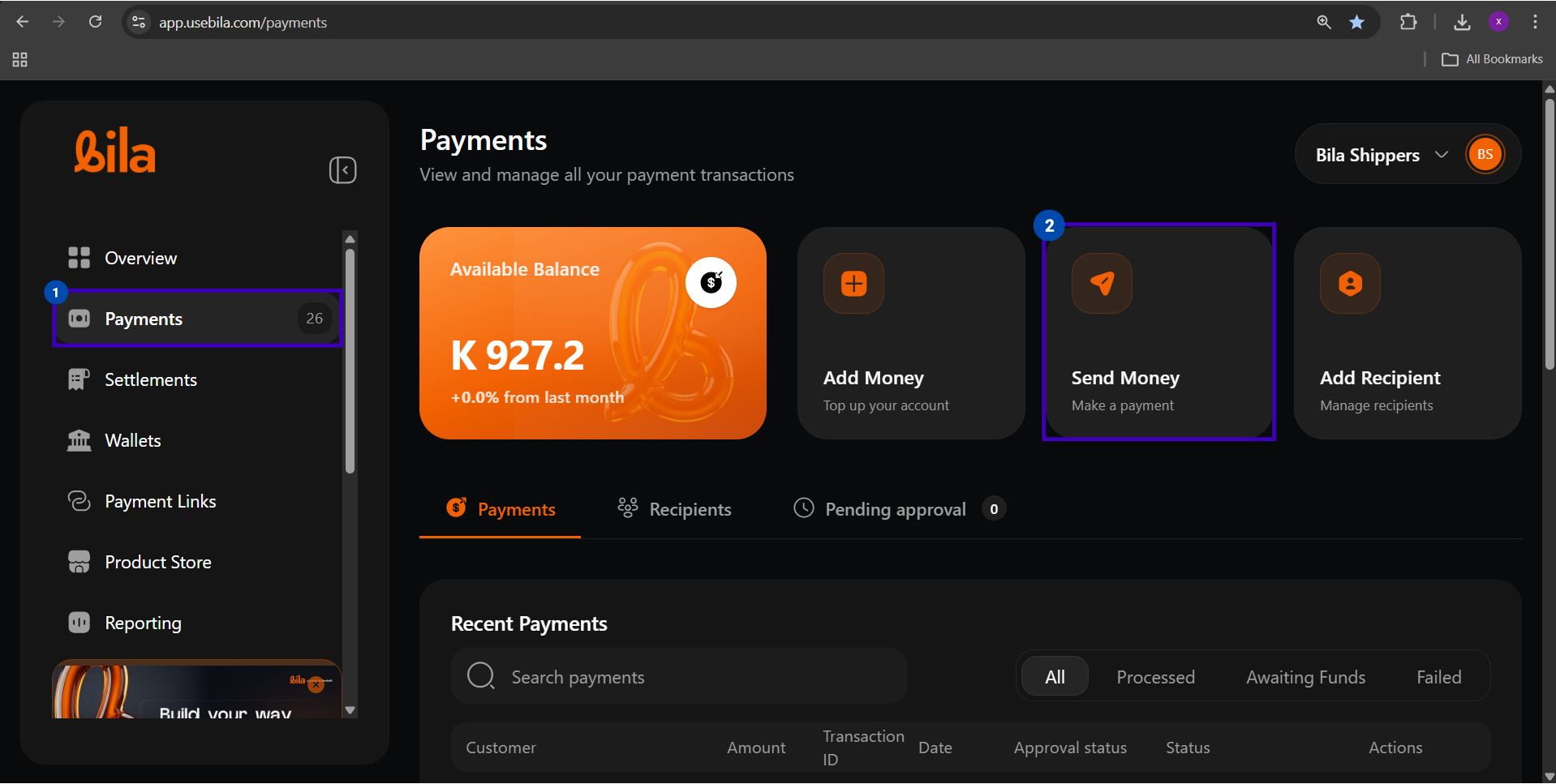
Click Payments in the left sidebar, then click the Send Money card.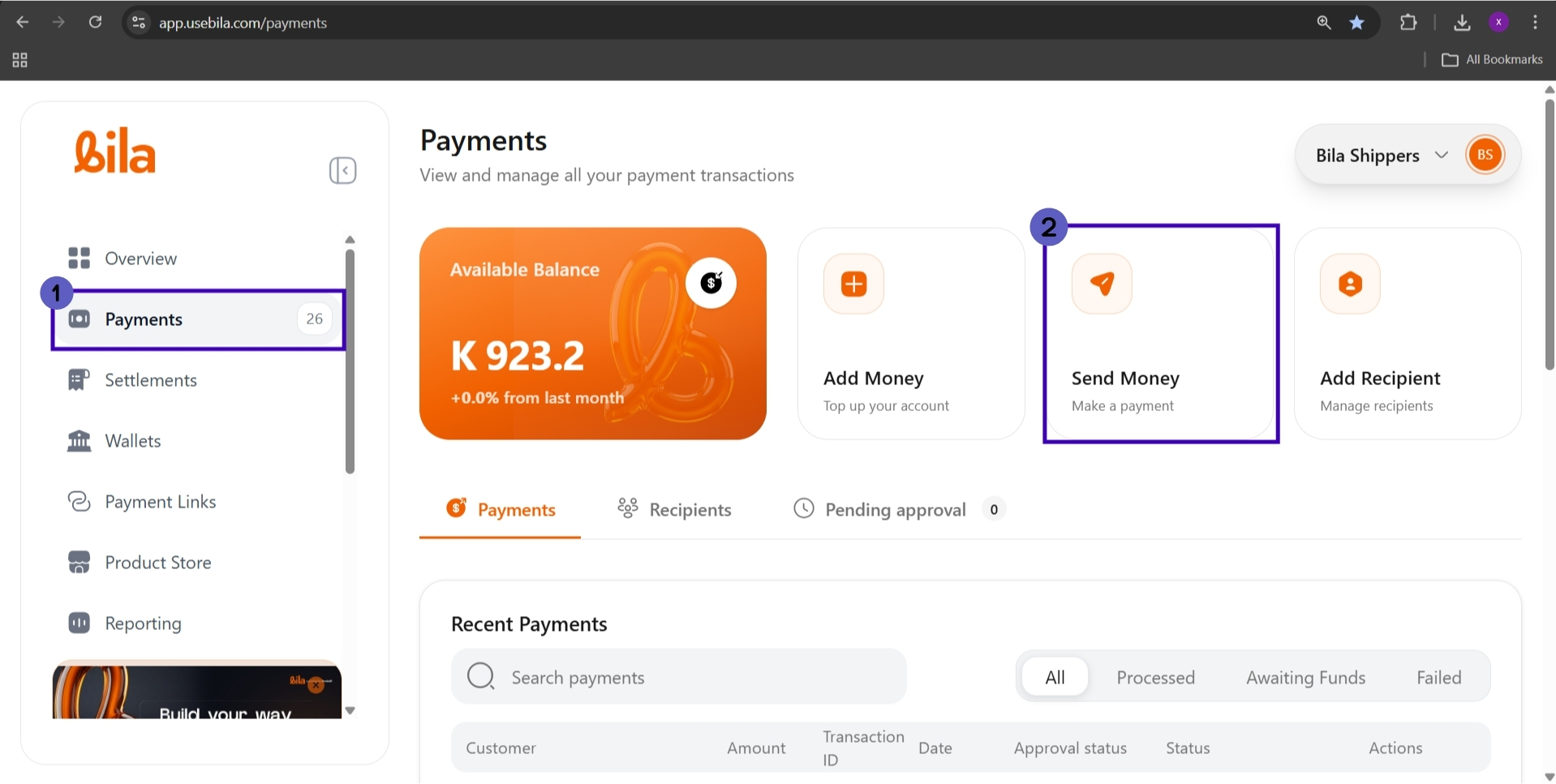
2
Select a Source Account
In the Source Account section, click the wallet you want to debit. The selected wallet is highlighted with a checkmark.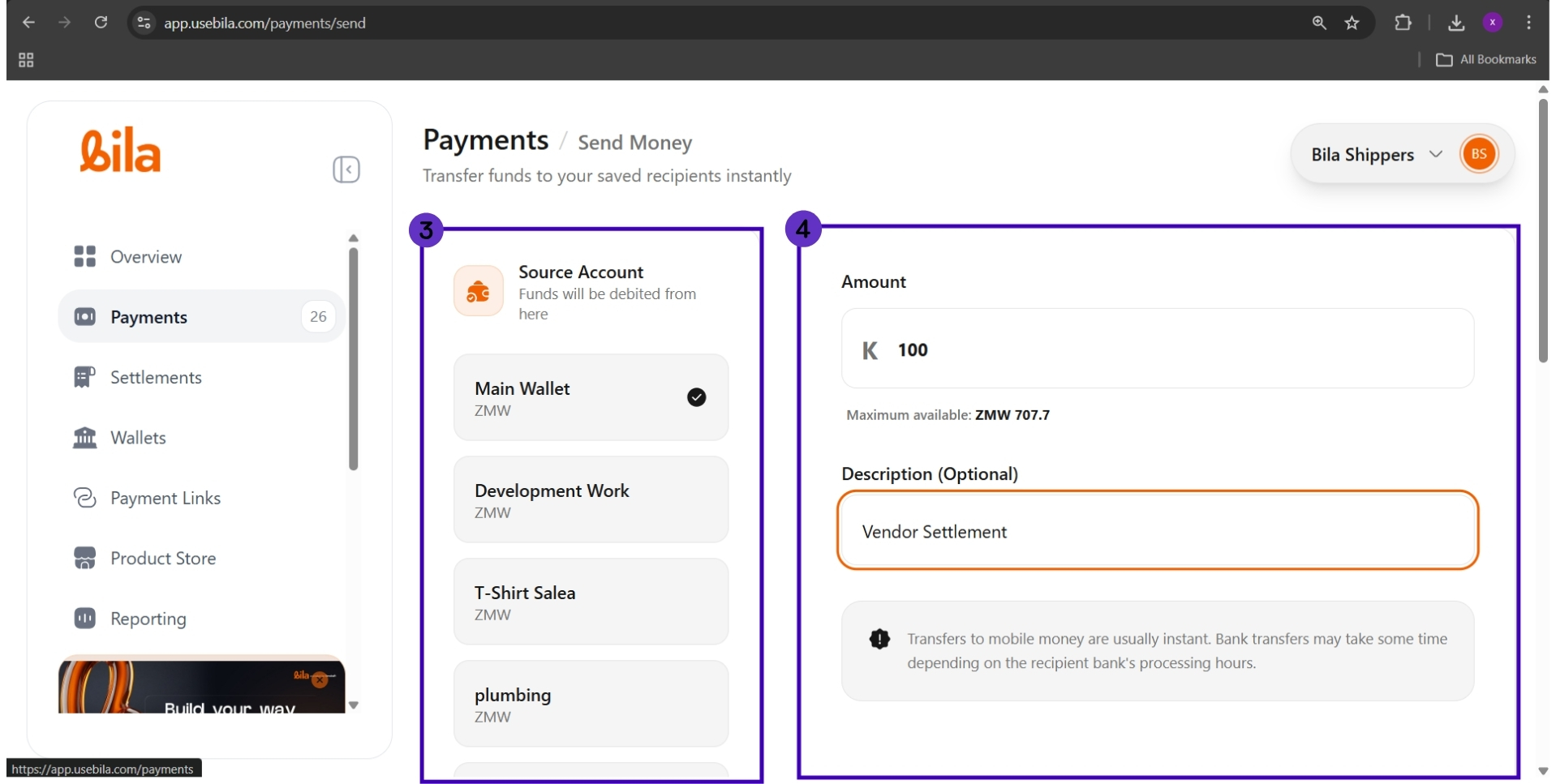
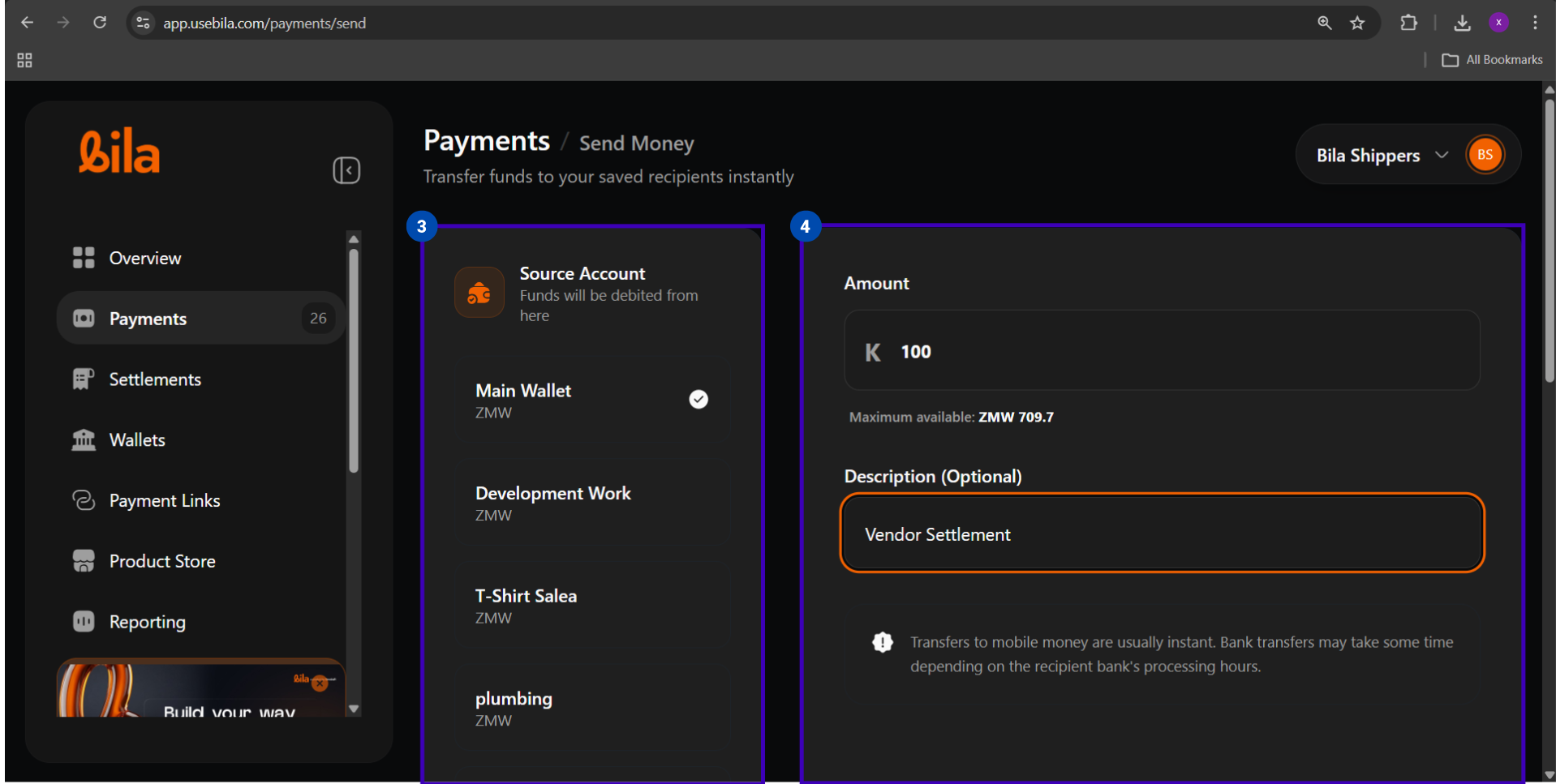
Select Main Wallet for general-purpose payouts. Sub-wallets can also be used if funds are allocated there.
3
Enter the Amount and Description
Bank payouts may take up to one business day. Plan accordingly if the recipient requires same-day settlement.
4
Choose a Recipient
Scroll to the Recipient section and click Choose recipient.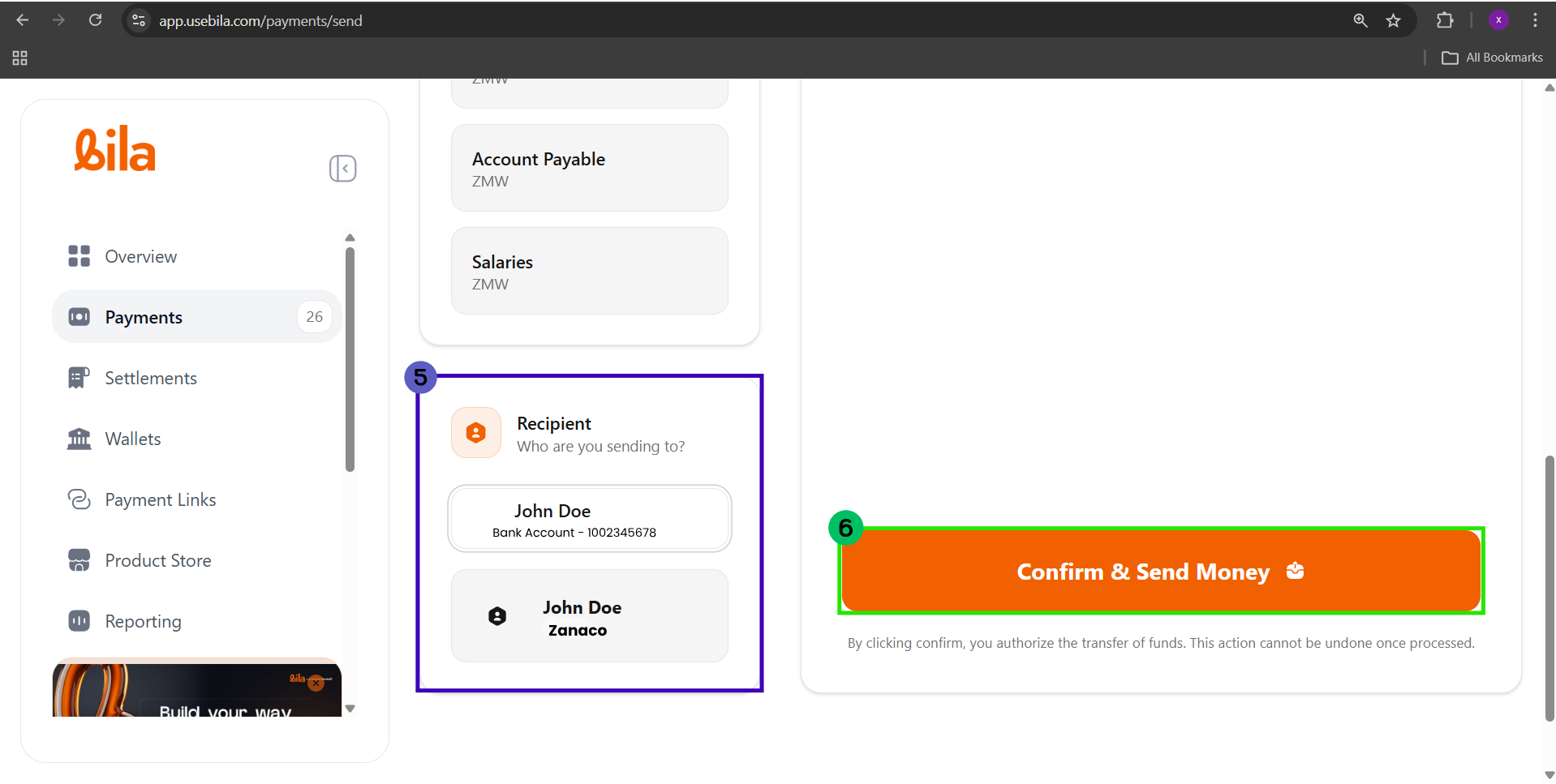
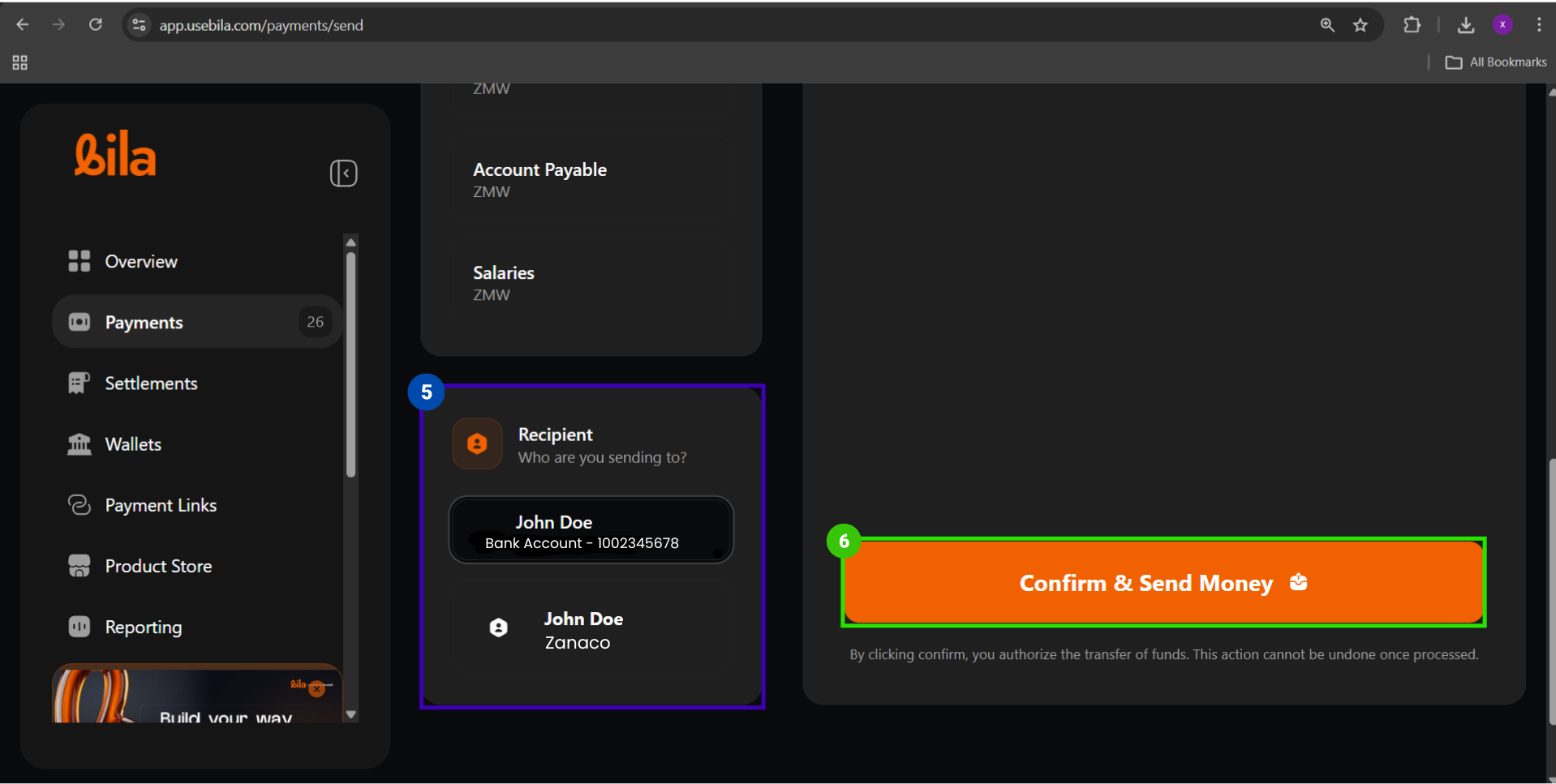 Select the correct bank entry - recipients show as Name -
Bank Name.5
Confirm and Send
Verify the source wallet, amount, and recipient, then click Confirm & Send Money.
6
Track the Payout
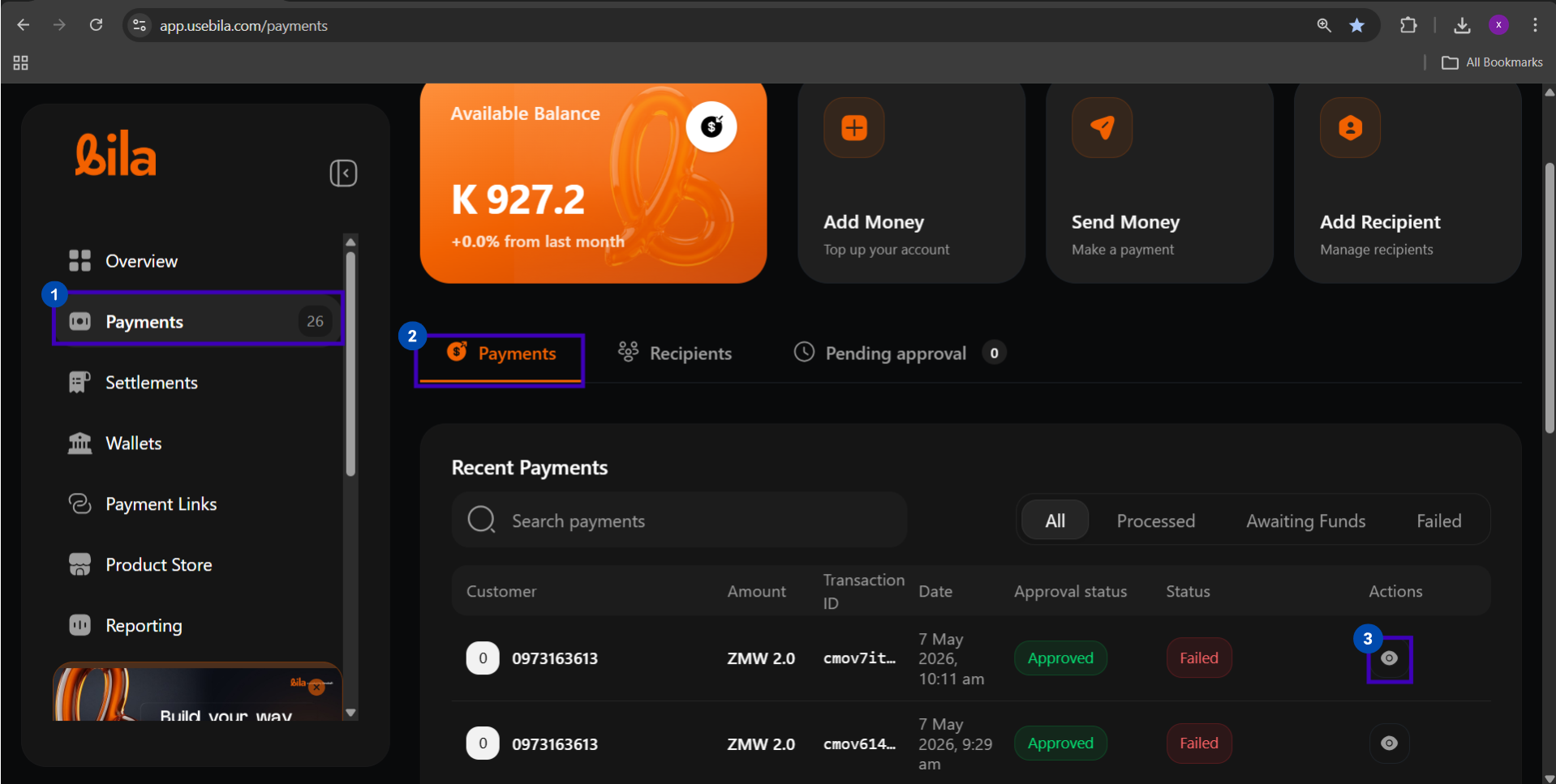
Go to Payments → Recent Payments and click the eye icon to view full transaction details.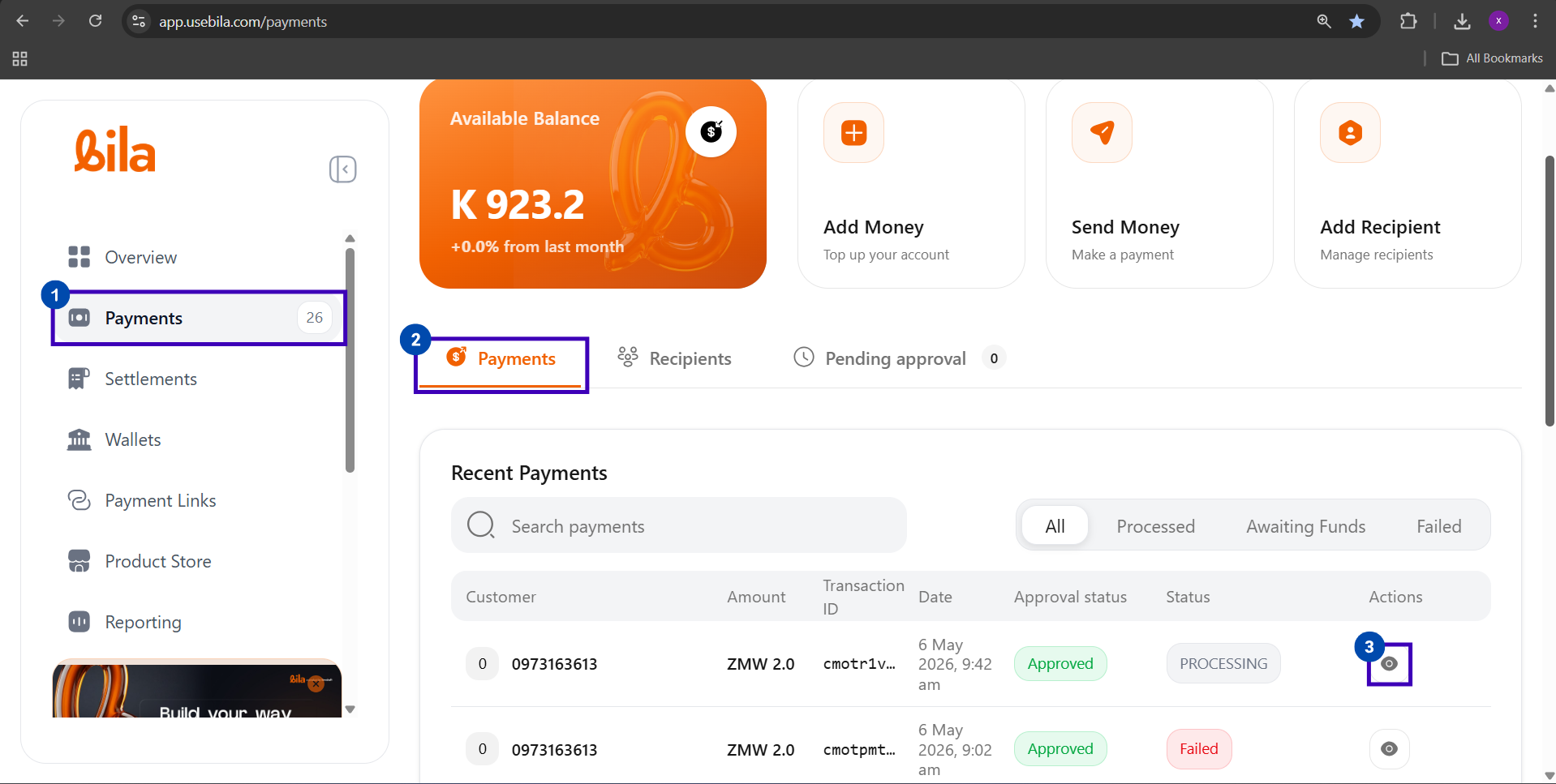
Supported Banks
All Zambian commercial banks are supported. When adding a recipient, select the bank from the provider list and enter the account number and name exactly as they appear on the bank account.Mismatched account details may result in a failed or delayed payout.
Fees, Limits, and Processing
Payment Status Reference
Troubleshooting
Next Steps
Mobile Money Payouts
Send funds to an MTN, Airtel, or Zamtel mobile money account.
Wallet-to-Wallet Transfers
Move funds between your wallets instantly and for free.